Picture this: your production planner stares at a complex SAP interface, clicking through multiple screens just to reschedule a single work order. What should take minutes stretches into hours, while urgent production changes wait in the queue. This scenario plays out daily in manufacturing facilities worldwide, where SAP workflows remain powerful yet cumbersome for dynamic production planning needs.
The manufacturing landscape demands agility, but traditional ERP interfaces often feel like navigating through digital treacle. Enter drag-and-drop planning – a transformative approach that bridges the gap between SAP’s robust data management capabilities and the intuitive, visual planning methods that modern production teams urgently need.
In this comprehensive guide, we’ll explore how drag-and-drop functionality revolutionises SAP workflows without replacing your existing ERP investment. You’ll discover practical strategies for overcoming traditional planning bottlenecks, understand the key benefits of visual planning interfaces, and learn how to successfully integrate enhanced planning capabilities with your current SAP ERP or S/4HANA systems, while measuring the tangible impact on your operational performance.
Why traditional SAP planning workflows create bottlenecks
Standard SAP production planning interfaces, while functionally comprehensive, present significant usability challenges that impact daily operations. The complexity stems from SAP’s design philosophy of accommodating vast manufacturing scenarios through detailed configuration screens and multi-step processes. This approach, though thorough, creates complexity barriers that slow down routine planning activities.
Production planners frequently encounter time-consuming processes when making simple schedule adjustments. A typical scenario involves navigating through multiple transaction codes, switching between planning boards and detailed views, and manually updating interdependent work orders. What appears to be a straightforward schedule change in reality requires extensive system knowledge and considerable time investment, particularly when dealing with capacity constraints or material availability issues.
User adoption challenges compound these operational inefficiencies. Many production team members, despite their deep manufacturing expertise, struggle with SAP’s interface complexity. This creates a dependency on a limited number of “SAP experts” within the organisation, leading to planning bottlenecks when these key individuals are unavailable. The learning curve for new team members remains steep, extending onboarding periods and reducing overall planning team flexibility.
The disconnect between SAP’s powerful backend capabilities and user-friendly frontend experience often forces organisations to choose between comprehensive functionality and operational efficiency.
These limitations don’t reflect shortcomings in SAP’s core functionality, but rather highlight the need for enhanced interfaces that maintain data integrity while providing intuitive planning experiences. The challenge lies in preserving SAP’s robust business logic while creating workflows that align with natural planning thought processes.
What makes drag-and-drop planning transformative?
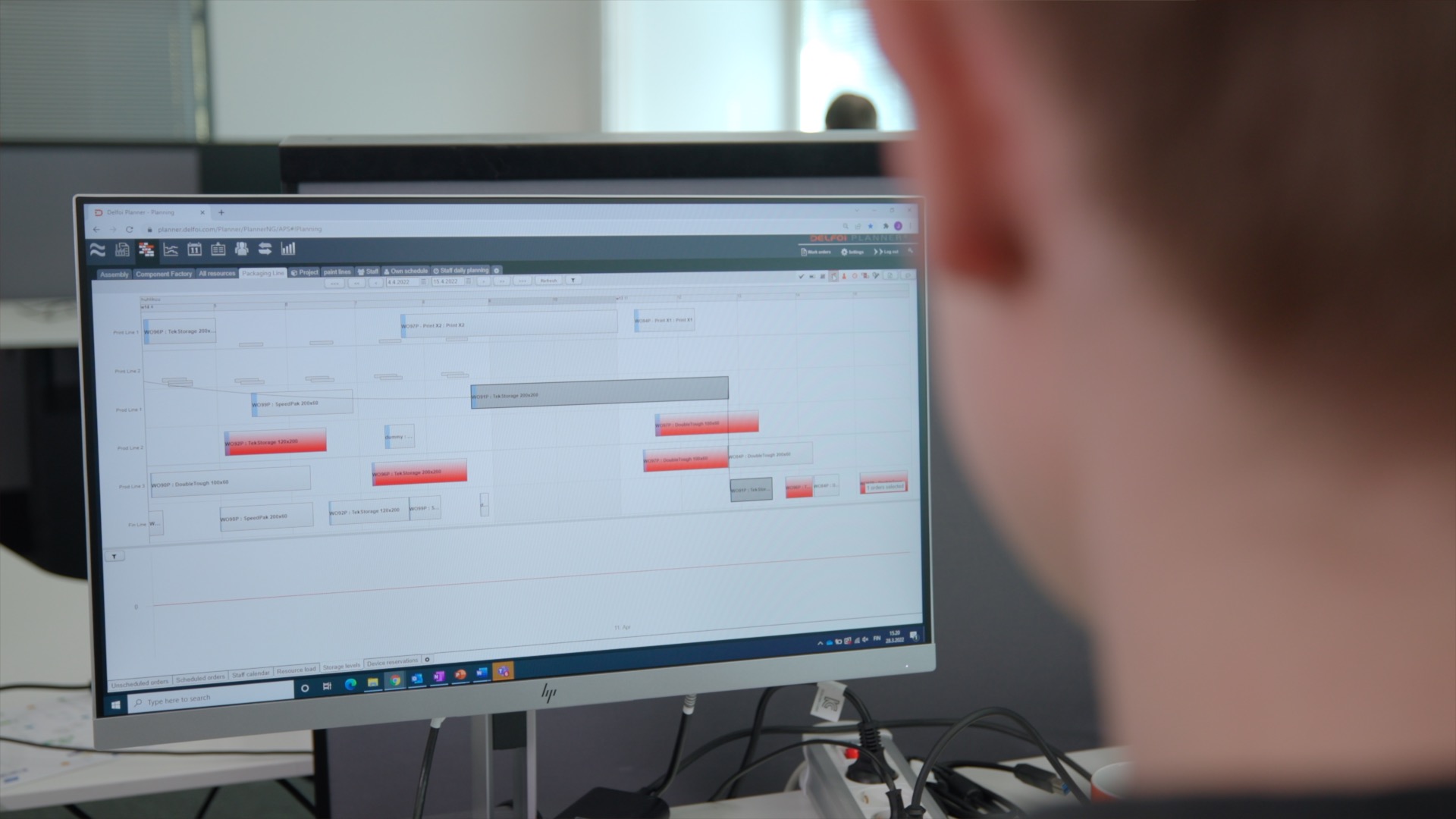
Visual planning capabilities fundamentally change how production teams interact with scheduling data. Instead of navigating through text-heavy screens and numerical inputs, planners can see their entire production schedule as visual elements representing work orders, resources, and time slots. This graphical representation mirrors how manufacturing professionals naturally think about production flow, creating an immediate cognitive connection between planning decisions and their visual consequences.
The benefits of the intuitive interface extend beyond mere aesthetics. Drag-and-drop functionality enables planners to make complex scheduling adjustments through simple mouse movements – dragging a work order from one time slot to another, extending production runs by stretching visual blocks, or reassigning tasks between resources through direct manipulation. These interactions feel natural and require minimal training, dramatically reducing the expertise barrier that traditionally limits planning team scalability.
Modern drag-and-drop planning addresses traditional ERP usability challenges while maintaining complete data integrity with underlying SAP systems. Every visual interaction triggers appropriate business rule validation, ensuring that scheduling changes respect material availability, capacity constraints, and production sequences. This approach provides the best of both worlds: an intuitive user experience combined with enterprise-grade data management.
| Traditional SAP Interface | Drag-and-Drop Planning | Key Benefit |
|---|---|---|
| Multiple transaction codes | Single visual workspace | Reduced navigation complexity |
| Text-based data entry | Direct visual manipulation | Faster schedule adjustments |
| Sequential screen updates | Real-time visual feedback | Immediate impact visibility |
The transformation becomes particularly evident during crisis management scenarios. When urgent production changes arise, planners can quickly visualise alternative scheduling options, assess resource conflicts, and implement solutions without extensive system navigation. This responsiveness proves crucial in maintaining production continuity and meeting customer commitments.
Essential integration strategies for SAP enhancement
Successfully integrating advanced planning tools with existing SAP ERP and S/4HANA systems requires a structured approach that prioritises data synchronisation and system stability. The integration framework begins with establishing robust data connections that maintain real-time consistency between visual planning interfaces and SAP’s master data repositories. This ensures that production schedules, material requirements, and capacity information remain aligned across all system touchpoints.
Data synchronisation strategies must address both inbound and outbound information flows. Inbound synchronisation pulls current production orders, material availability, and resource calendars from SAP into the visual planning environment. Outbound synchronisation pushes scheduling decisions back to SAP, updating work order dates, resource assignments, and material requirements planning triggers. The key lies in implementing these data flows without disrupting existing SAP processes or compromising system performance.
User access management becomes critical when introducing enhanced planning capabilities alongside traditional SAP interfaces. Organisations need clear protocols defining which team members use visual planning tools versus standard SAP transactions, ensuring that scheduling authority remains properly controlled. This typically involves configuring role-based access that aligns with existing SAP authorisation concepts while extending permissions to cover new planning functionalities.
System stability considerations encompass both technical architecture and change management aspects. From a technical perspective, integration solutions should operate as enhancement layers that don’t modify core SAP configurations. This approach preserves system upgrade paths and maintains support arrangements. Change management involves training programmes that help teams understand how enhanced planning capabilities complement rather than replace their existing SAP knowledge.
Solutions like Delfoi Planner for SAP exemplify this integration philosophy, providing advanced production planning and scheduling capabilities that work seamlessly with SAP ERP and S/4HANA environments. Rather than replacing existing investments, such tools enhance SAP’s native capabilities through intuitive interfaces while maintaining complete data consistency and business rule compliance.
Measuring workflow transformation success
Evaluating the impact of enhanced planning capabilities requires a comprehensive approach to performance measurement that captures both quantitative improvements and qualitative user experience changes. Key performance indicators should reflect the primary objectives of workflow transformation: increased planning efficiency, improved production performance, and enhanced user productivity.
Production efficiency metrics provide the most direct indication of transformation success. These include schedule adherence rates, which measure how consistently actual production follows planned sequences, and setup time reduction, which reflects improved scheduling optimisation. Lead time improvements often emerge as planners gain better visibility into production constraints and can proactively address potential bottlenecks before they impact delivery commitments.
User productivity indicators focus on the planning process itself rather than production outcomes. Planning cycle time – the duration required to create or modify production schedules – typically shows significant improvement with drag-and-drop interfaces. User adoption rates and training time requirements provide additional insights into workflow transformation effectiveness, particularly regarding the reduced complexity barriers that visual planning addresses.
- Planning accuracy – reduction in schedule changes after initial publication
- Resource utilisation rates – improved capacity planning visibility
- Emergency rescheduling frequency – decreased crisis-driven planning activities
- Cross-functional collaboration – enhanced communication between planning and production teams
Overall operational performance encompasses broader organisational benefits that emerge from improved planning workflows. These include reduced inventory levels due to better production timing, improved customer satisfaction through more reliable delivery promises, and enhanced operational transparency that supports better decision-making across manufacturing functions. The measurement framework should capture these interconnected benefits while maintaining focus on the specific improvements attributable to enhanced planning capabilities.
Successful workflow transformation creates a positive feedback loop where improved planning capabilities lead to better production outcomes, which in turn provide more accurate data for future planning decisions.
Regular assessment of these metrics enables continuous improvement and helps organisations maximise their return on planning system enhancements while identifying additional opportunities for operational optimisation. For organisations ready to explore these transformation opportunities, expert consultation and support can provide valuable guidance in implementing effective planning solutions.